| Operate the Scanner
|


|
|
| DocAction offers you quick access to the most frequently-used scanning functions in two ways. They are especially useful when you need to repeatedly scan with the same settings and send images to the same destination.
|
|
|
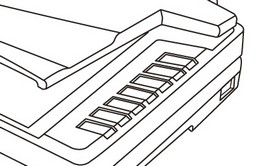
| · | Scan from the buttons on the scanner panel
|
|
|
|
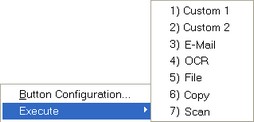
| · | Scan from DocAction's Execute menu on the screen
|
|
|
|
| Buttons on the scanner panel will be used in this guide to demonstrate the scanner operations. You may also use DocAction's on-screen Execute menu to perform the same scanning tasks.
|
|
|
|
|
|
|
|
 In addition to the two fast scanning methods described above, this scanner offers you other ways to scan your paper documents or images. Choose an appropriate scanning method that meets your scanning need and preferences.